Models 4 & 5: Parking garage

Is the car park full?

Classifying
11-13
Duration Time
2 double hours per learning unit (extendable to 10 DS)
Difficulty level
Model: light to medium, programming: light to medium
Model Types
Bench model for parking garage gates

MODEL DESCRIPTION/TASK

The pupils (SuS) plan and implement a parking garage barrier for entering and exiting a parking garage. 

The request to open the barrier is initially made via a button (entry) or a button on the display of the TXT 4.0 controller (exit). 
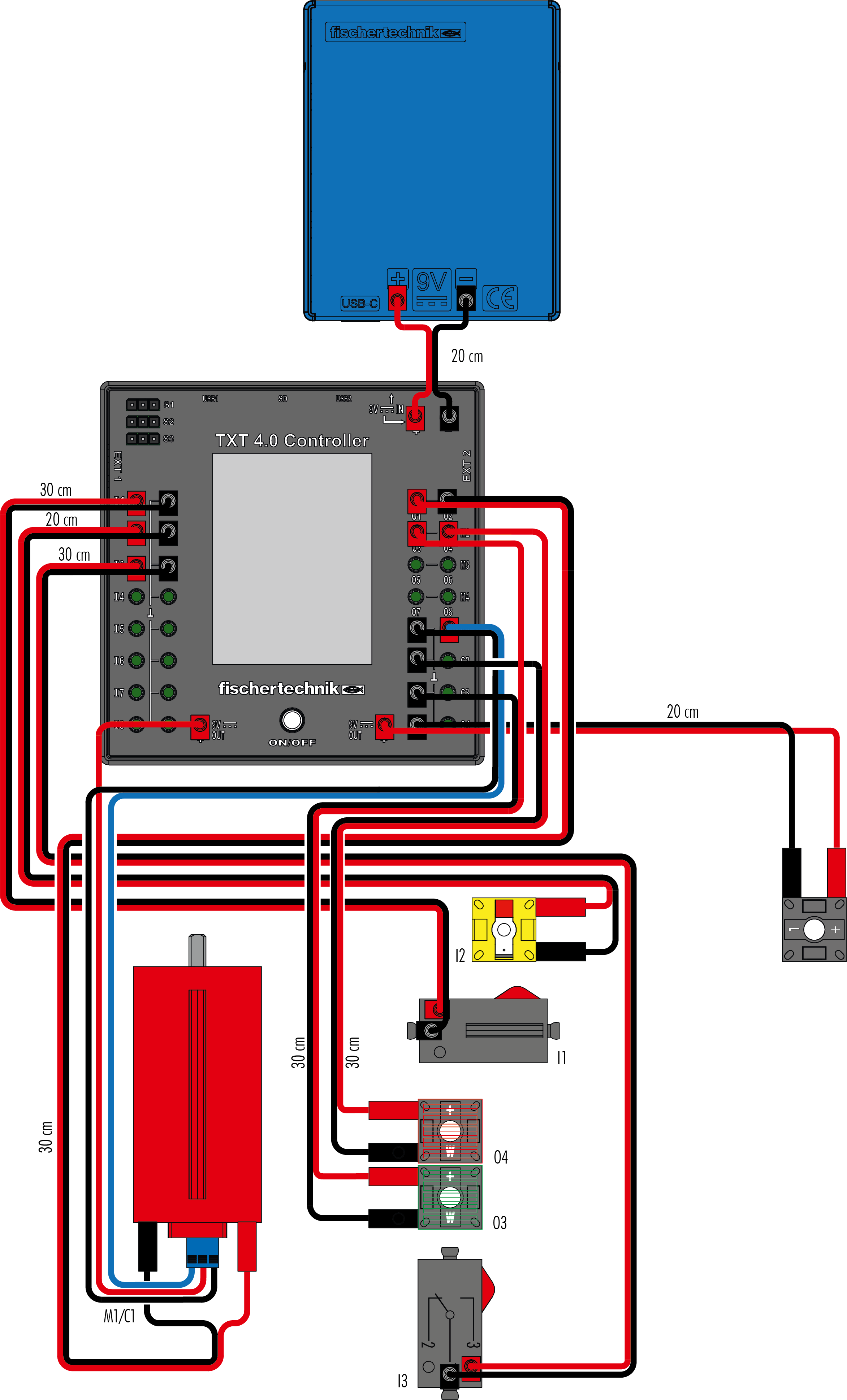
Two LEDs give light signals when fully open (green) or during opening and closing (red). A light barrier monitors whether a vehicle is in the barrier area during the closing process. The number of free parking spaces is determined from the number of entrances and exits and displayed on the TXT 4.0 controller; the red LED (parking garage 1) flashes when full. 

In a second step, two groups come together and connect their models and controls in such a way that one barrier serves as the entrance and the other as the exit (parking garage 2).

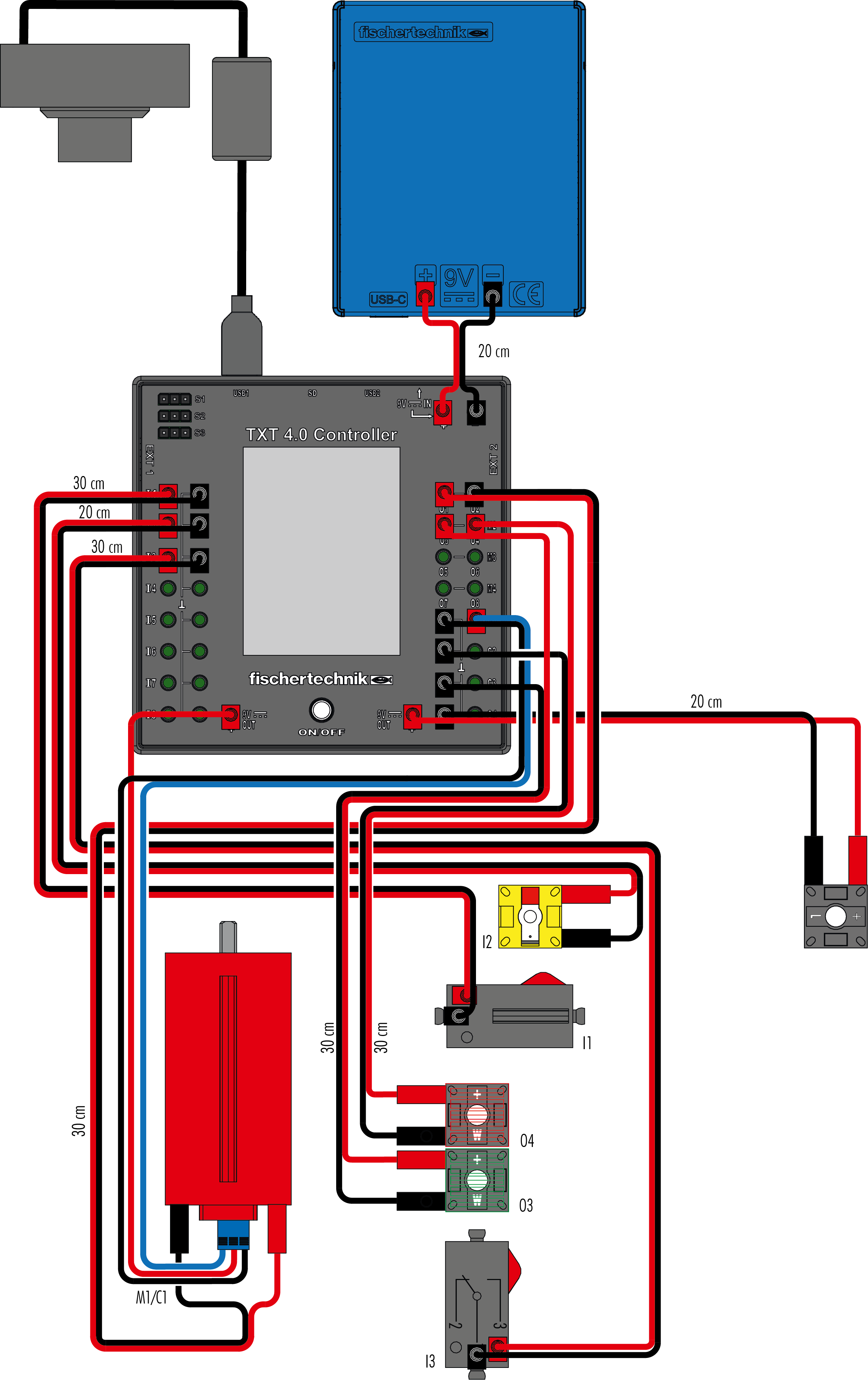
In the fully developed model, the barrier control is supplemented by optical licence plate recognition using the USB camera and automatic parking price determination (parking garage 3).

EVERYDAY COVERAGE

The barrier-controlled access to parking spaces and car parks is familiar to SuS from everyday life.  In particular, automatic access through optical licence plate recognition has a high motivational value. The topic could be integrated into professional orientation with regard to information technology fields. Automated switching by recording physical variables is used here in many areas. In particular, the automated detection of objects in access technology is becoming increasingly important. 

Key Questions

  • Where can an automatic barrier system be used in everyday life? (Communication)
  • Which functions does the parking garage gate control system have to fulfil sensibly? (Collaboration)
  • Under what conditions should the system open or close? (critical thinking)
  • What needs to be considered so that the control can be used at different locations and the system works as robustly as possible? (Creativity)
    ​

Compartment cover
​

Data Processing
Advanced programming, condition loops, functions
Mathematical
Angle, conditional counting, time and price calculation
Technology
Stable construction, construction technology
Physics
Movement change

Course History
​

Start-up phase
Planning phase
Construction Phase
Programming phase of the parking garage gate (parking garage 1)
Experimentation and test phase of the parking garage barrier (parking garage 1)
Completion/connection phase of the parking garage gate (parking garage 1)
Programming phase of the parking garage gate (parking garage 2)
Experimentation and test phase of the parking garage barrier (parking garage 2)
Completion/connection phase of the parking garage gate (parking garage 2)
Programming phase of the parking garage gate (parking garage 3)
Experimentation and test phase of the parking garage barrier (parking garage 3)
Completion/connection phase of the parking garage gate (parking garage 3)


Notes and information
​

Methodological and didactic notes
​

Differentiation options

Depending on the duration of the lesson series and the strength of the SuS, 

  • two groups put together their systems as an entrance or exit to a car park,
  • couple two TXT 4.0 controllers (entry/exit) to synchronise counting results,
  • they use the USB camera in parking garage 3 to determine the parking time for entry and exit and have parking fees displayed on the display based on the determined data.
    ​

Motivational aspects

The topic of automatic barrier systems is familiar to all SuS from everyday life. Automatic licence plate recognition, which can be transferred
to other automation processes if necessary, motivates intensive discussion and solution of a corresponding task.


Supplementary materials

  • If available, a video could be used for the introduction phase to the topic.
  • Drawing media (paper, whiteboard or projection surface).

Functions of the model and their technical solutions
​


Functions of the sensors/actuators


Technical solution


Running an Encoder Motor Rotation 


 Actuation of the drive motor for exactly one rotation


Red/green LED light signals


  Actuation of the LED for free travel and stop


Interruption of the light barrier

Interruption of the light barrier


Preventing barrier movement

Counting the cars

Licence plate recognition via USB camera  Opening the gate
Parking garage 2:
Connection of two TXT 4.0 controllers
  • Separate control of entry and
    exit barrier
  • Data exchange between two 
    TXT 4.0 controllers
Parking garage 3:
Licence plate recognition via USB camera
  • Barcode decoding
  • Programming and evaluation of start and end times
  • Calculation of parking fees


Bill of Materials
​


Sensors


Function


1 On/Off button on the TXT 4.0 controller


1. Switching on the barrier control
2. Emergency stop of the barrier


1 phototransistor

Light barrier interruption detection, receiver

1 USB camera

Barcode recognition 

1 mini button 

Requisition for entry 

1 mini button 

Status query of the barrier (open or closed) 


Actuator


Function


1 Encoder motor


• Movement

• Revolution Count 

 2 LEDs (1 × red, 1 × green)   Status Indicator Light
 1 LED (white)  Light barrier sensor illumination


cd-blue-57549d595d-9jfgt